Workspace References
Open Settings → References to manage the current organisation's reference lists.
- Workspace Types classifies workspaces. Examples include Brand, Region, Retail Chain and Season.
- Role Names supplies job labels used when assigning team members. The separate security level governs access.
- Seasons defines season codes for the current organisation.
- Brand defines the brands that can be assigned to workspaces.
SuperAdmin controls which fields appear, their order, and whether they're required. Maintain the values under Settings → References.
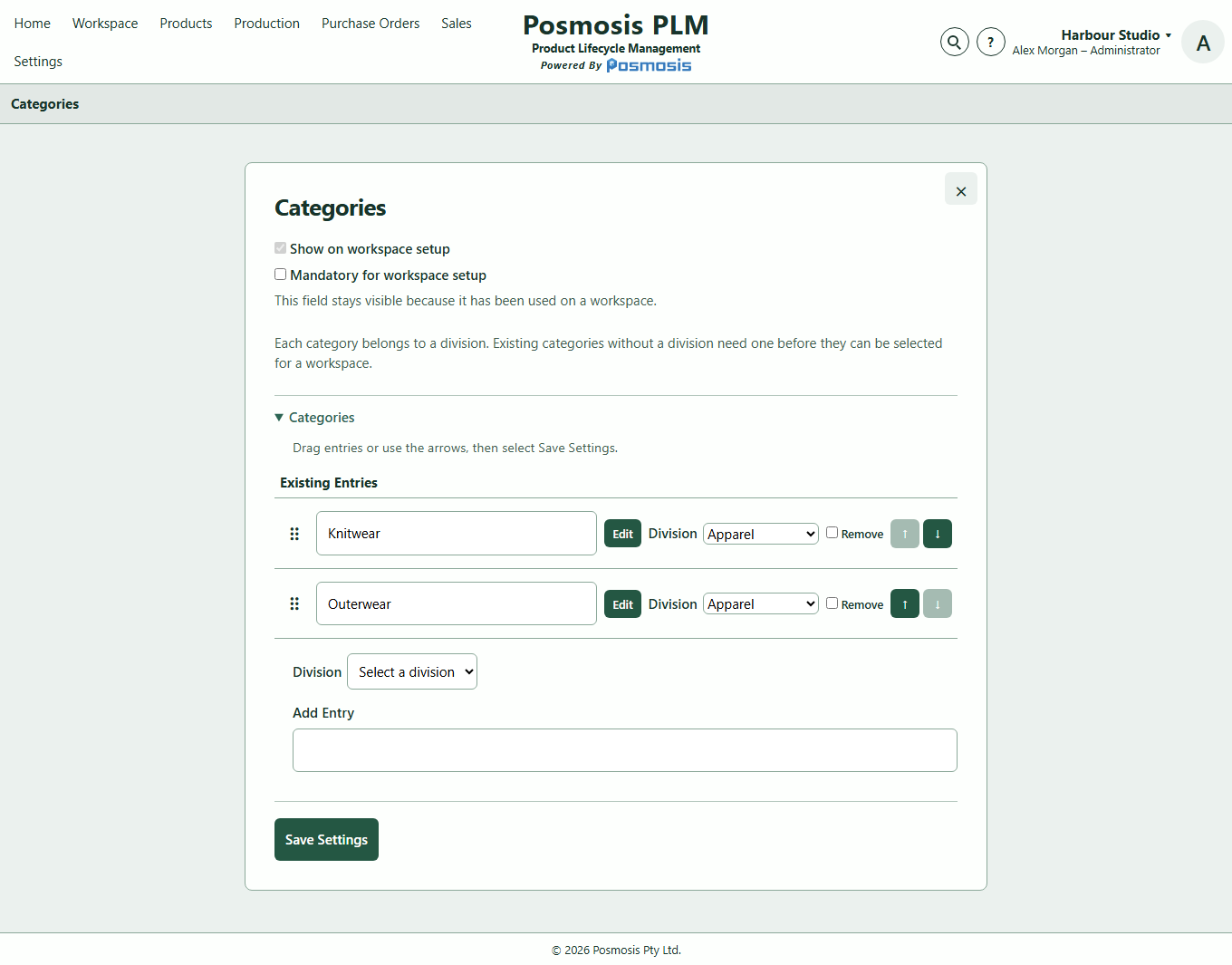
If your organisation uses a category hierarchy, create the first division under Division, then choose a division above Add Entry before entering a category. The add form remembers the last division used in the current browser tab.
Use Edit to update an existing value or mark Remove and save. Change or clear workspace assignments before removing a reference that is in use.