ERP Mapping Profiles and Source Aliases
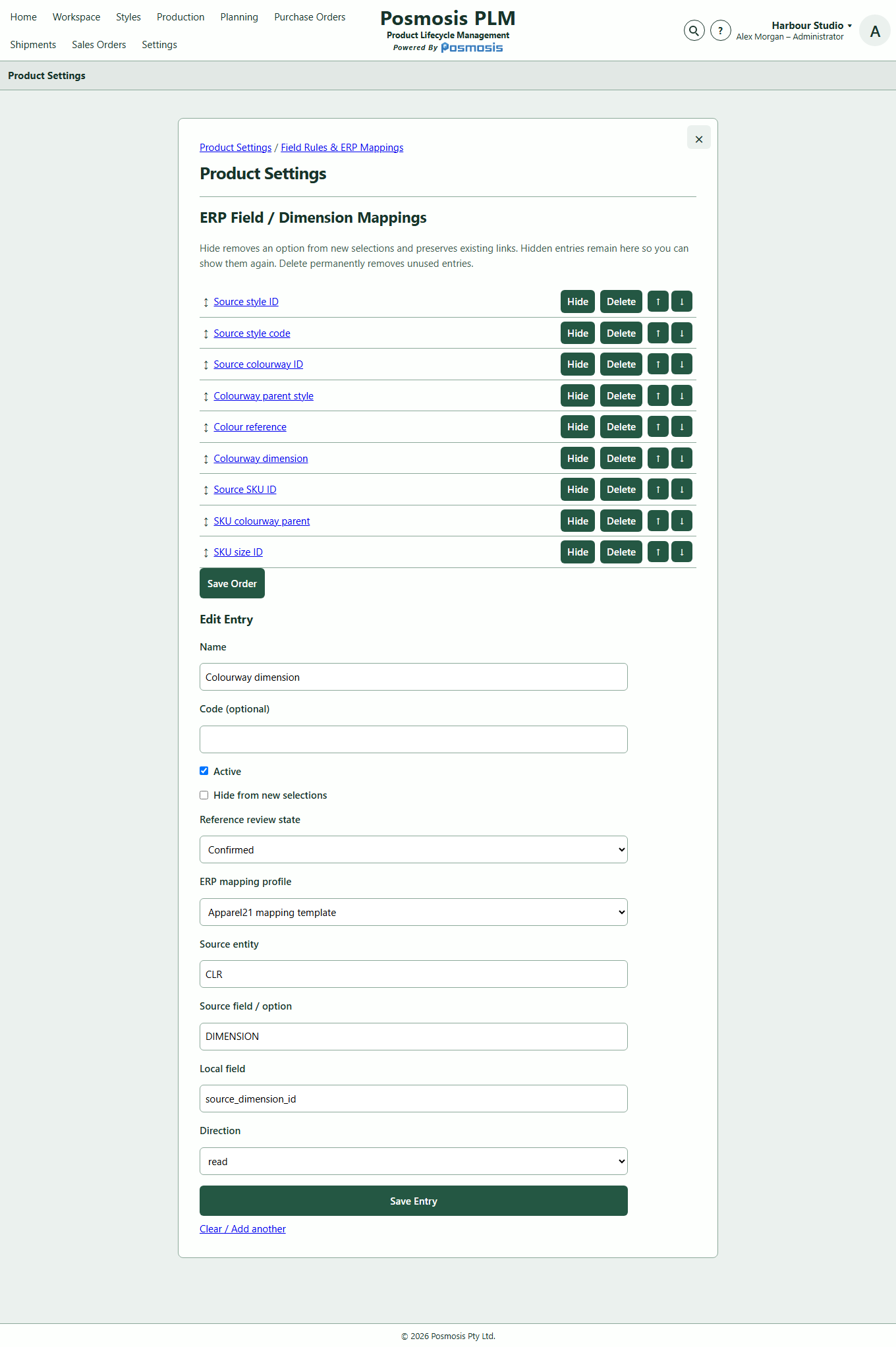
Open Settings → Products → Field Rules & ERP Mappings.
- ERP Mapping Profiles identifies Apparel21, Cin7 Omni or another source, its transport and source-instance identifier. It stores no live connection credentials.
- ERP Field / Dimension Mappings relates a source entity/field or variant option to a local field, with read/write/both direction. Apparel21's starter mappings include STYLE, CLR and SKU identifiers and their relationships; verify them for your source version.
- ERP Reference Aliases retains original source IDs, codes and names and maps colour, size, dimension or season to organisation references. BLACK, BLK and BK can stay separate source values while mapping to one local colour.
Cin7 Omni option positions must be confirmed per connection; do not assume Option 1 always means colour. An alias's mapped value must match its reference type and organisation.
The heartbeat fields and mapping profiles are configuration only. No five-minute checks, SQL extraction, API calls, Swagger import or ERP write-back are started by these settings. Do not put passwords or API keys into descriptive fields.