Terminology, Defaults and Structure Profiles
Open Settings → Products → General & Classification.
- Maintain Terminology with singular, plural and code label. Defaults include Style, Product, Model, Item, Design and Article. Add another term if needed.
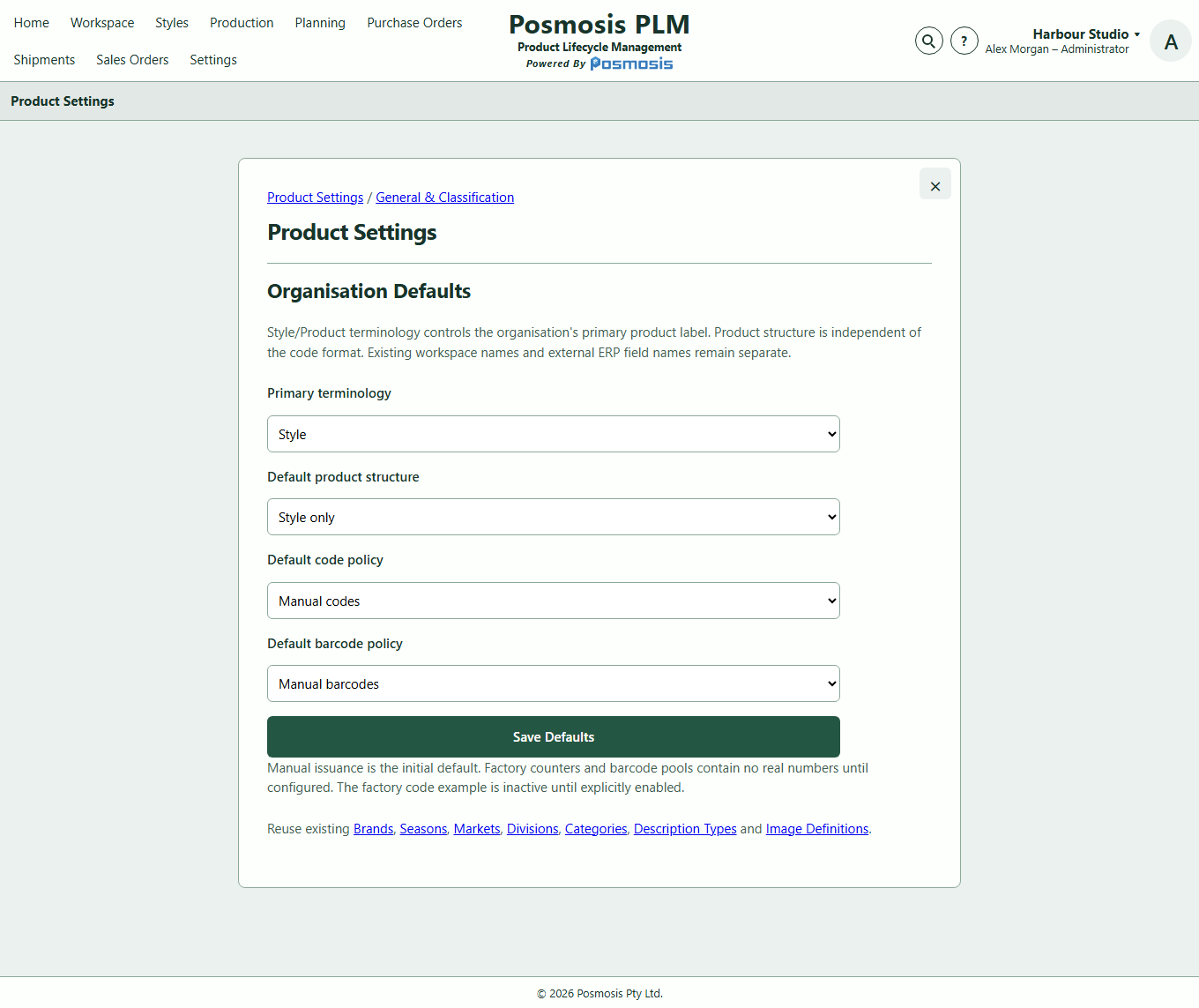
- Open Organisation Defaults, choose the primary terminology, structure, code policy and barcode policy, then select Save Defaults. The main product navigation uses your selected plural, such as Styles or Models.
- In Structure Profiles, configure colour, size and extra-dimension applicability. The standalone style–colour profile represents a separate ERP product per colour, with no size or extra dimension.
- Maintain Product Types and their default structures, and link Product Subtypes to a type.
Structure and terminology do not determine the code format. Source ERP field names and stable internal IDs remain separate. Choose the structure when creating a product. It controls whether colours, sizes and widths are applicable; existing data prevents incompatible structure changes.