Organisation Themes
Organisation administrators can open Settings → General → Themes. Each organisation has its own theme.
The preset list follows the SuperAdmin theme catalogue. If your current preset is disabled, it stays in use until you select another.
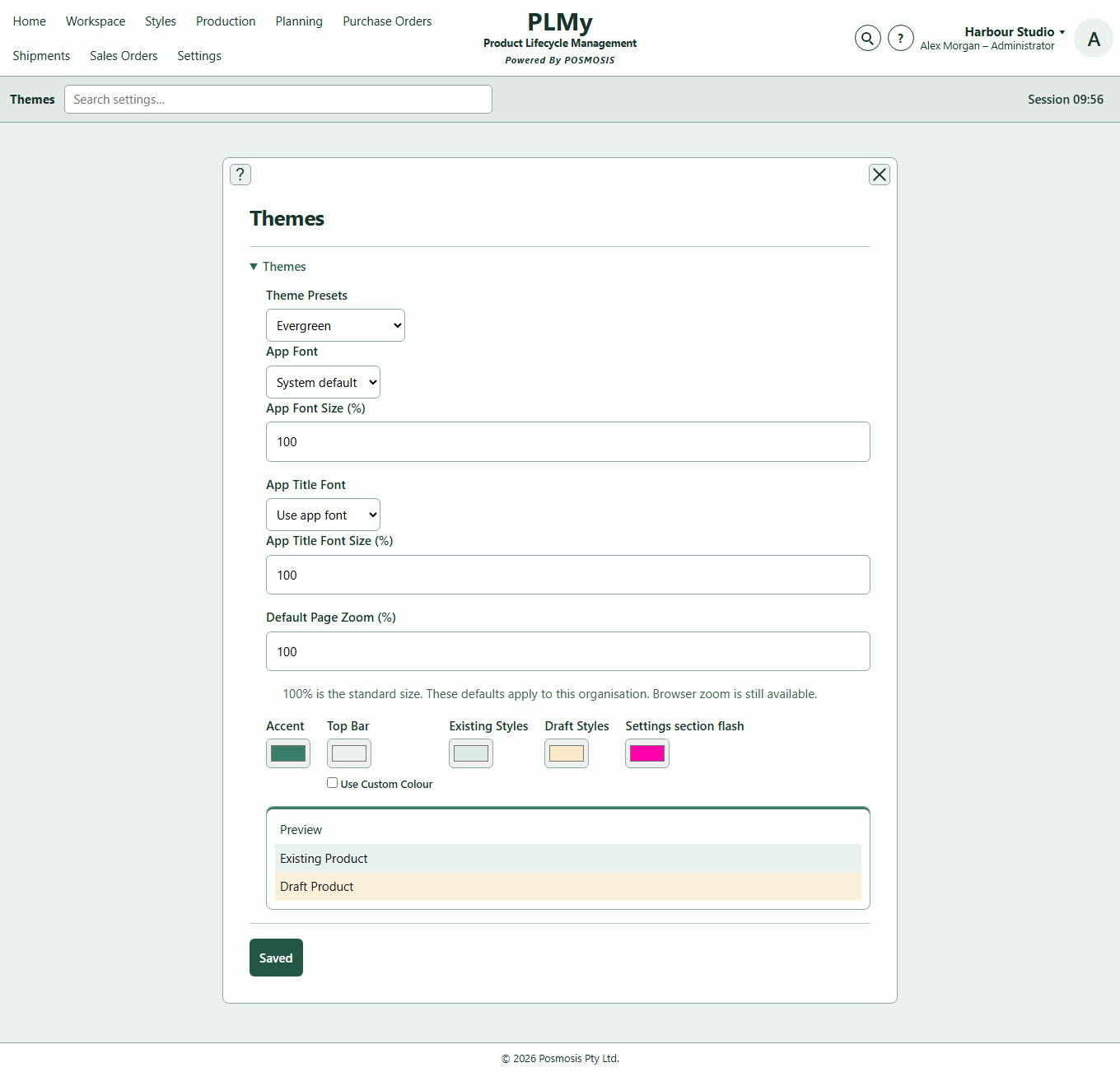
App Font sets the font across the organisation's pages. App Title Font follows the app font by default and can be set separately. Both sizes can be adjusted from 80% to 150%. Default Page Zoom scales the whole app page. Changes preview as you edit.
- Theme Presets sets the base appearance. Accent sets the highlight colour. Settings section flash sets the border flash colour and the lighter persistent section tint when selecting a Settings workbar section link. Save the theme to apply it.
- Active field highlight sets the background of the input you are currently editing across the application, including Messages. It starts pale yellow; the text automatically switches to black or white for contrast. The preview updates immediately. Save Settings applies the colour to this organisation.
- Top Bar uses your chosen colour when Use Custom Colour is enabled.
- Existing Products and Draft Products set the two product colours shown in the preview.
Review the preview and select Save Settings.