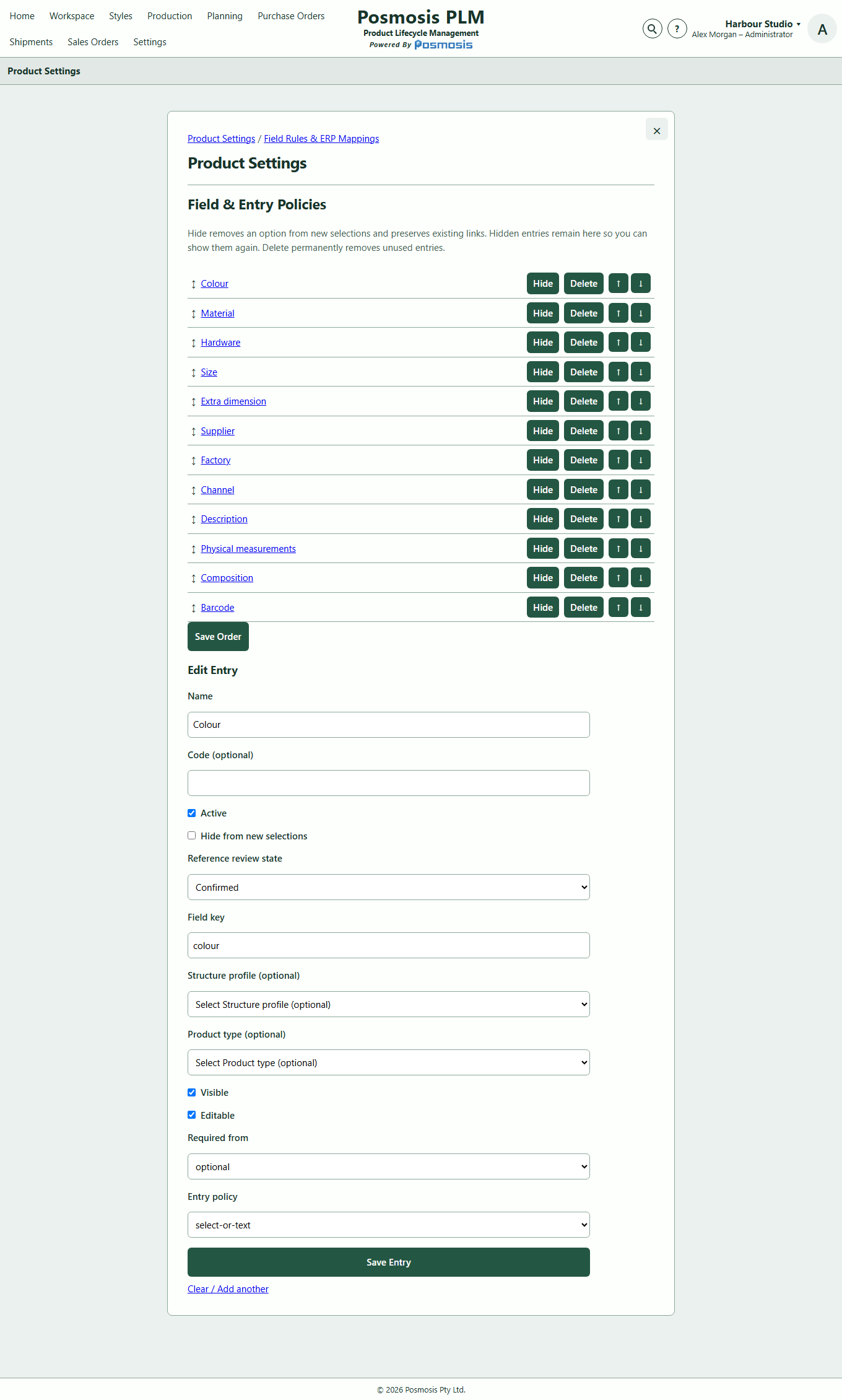
Field Visibility and Entry Policies
Open Settings → Products → Field Rules & ERP Mappings → Field & Entry Policies.
- Select an existing policy or add one with a stable Field key.
- Optionally restrict it to a product type or structure profile.
- Set Visible, Editable and the required stage: optional, capture, review, approval or publication.
- Select an entry policy: existing selection only, selection or creation, selection or provisional text, or free text.
- Select Save Entry.
Core forms enforce visible/editable rules and required stages. Use a qualified key such as draft_styles.internal_notes or draft_style_colours.country_of_origin_code, or a supported general key such as colour, size or supplier. Entry-policy labels prepare future inline reference creation; new reference options are currently maintained in Settings. Hiding a reference option, making a product field invisible, and restricting access to sensitive values are separate concerns.