Code Policies, Components and Factory Counters
Open Settings → Products → Codes & Barcodes. A code policy specifies whether the target is the primary style/product code or a SKU code, and whether issuance is manual, local sequence or ERP-generated. Configure the intended issuance stage: first-save, approval or publication.
- In Code Policies, choose the method and organisation/factory/brand counter scope. The supplied factory example is inactive.
- In Code Components, add ordered parts belonging to that policy. A part can be literal text, the sequence, system/supplier colour, factory, brand or season code. Use literal parts for OB, an underscore or a hyphen. Set minimum counter digits where needed.
- Drag parts or use the arrows, then select Save Order. Use Save Entry for edits to an individual part.
- For a local sequence, create a Code Counter for the chosen scope. Enter the last USED number and increment, not the next number. A factory-scoped policy requires its factory.
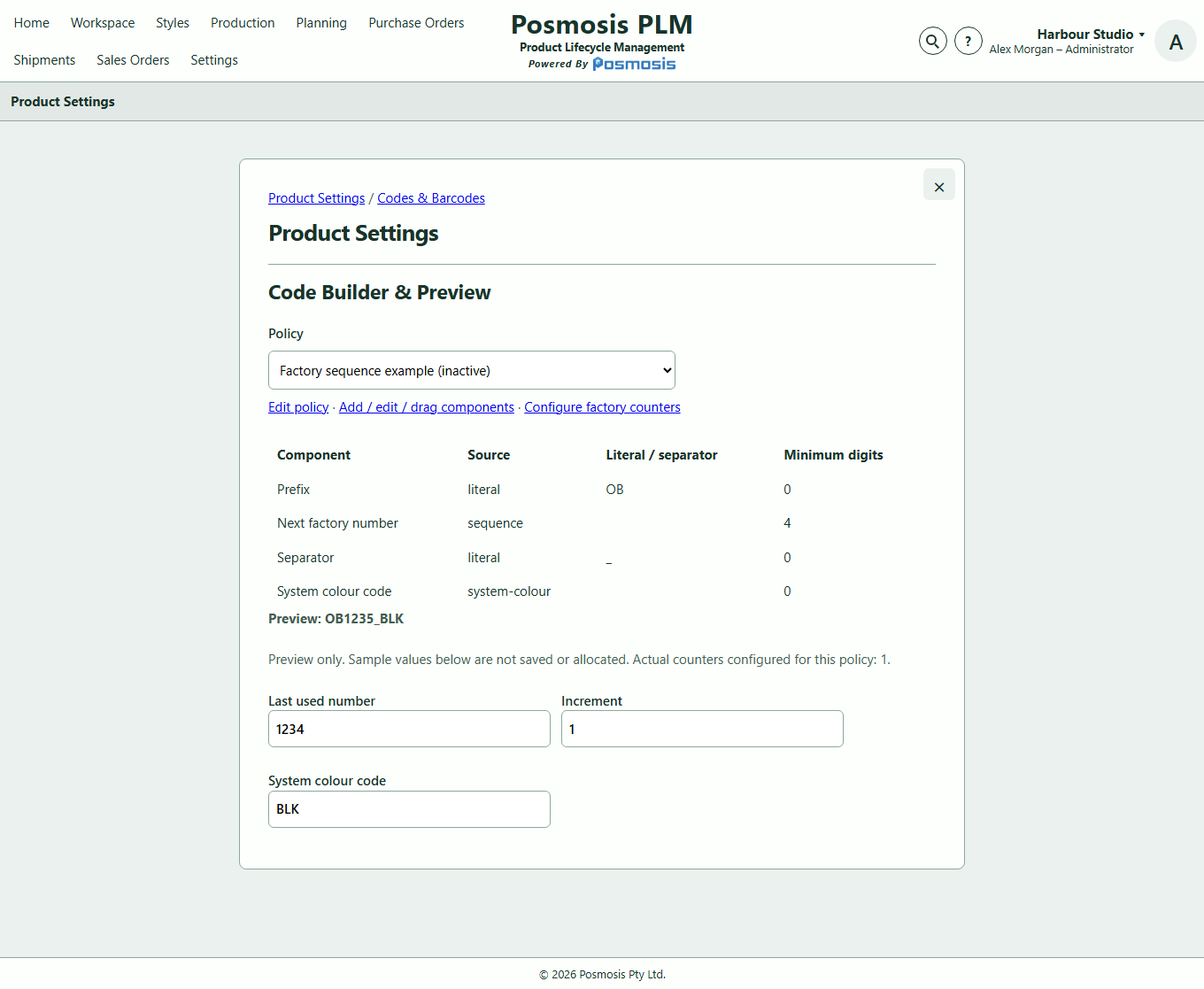
- Open Code Builder & Preview, select the policy and enter preview values. Last-used 1234, increment 1, prefix OB and colour BLK produce OB1235_BLK.
Preview never allocates or consumes a number. The allocation register is read-only. Reservation services handle concurrent requests and retries, preserve issued values, and prevent winding an allocated counter backwards. Primary and SKU identifiers have separate uniqueness scopes.
Real counter values are not seeded. Save Entry configures the policy/counter; it does not create a product or contact an ERP. The forthcoming core product workflow will request allocation at the configured stage. Hiding a component preserves its existing configured use; disabling Active changes operational behaviour.