Sample Distribution Contacts and Groups
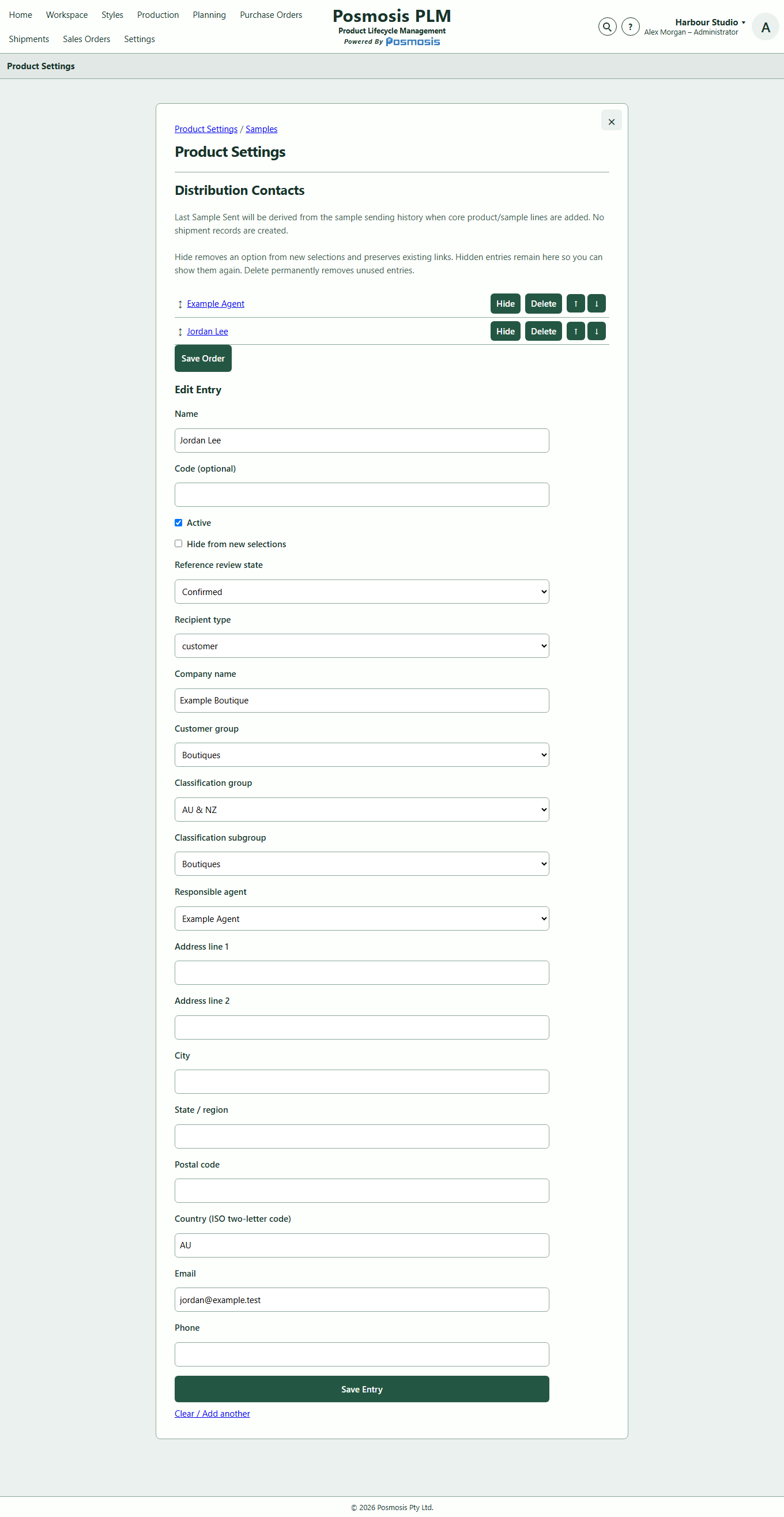
Open Settings → Samples → Sample Distribution List, Distribution Contacts.
- Maintain Customer Groups, starting with Majors, Mini Majors and Boutiques.
- Maintain classification groups and their related subgroups where needed. These may represent different classifications, such as geography and customer segment; their meaning is organisation-specific.
- Add a distribution contact with name, Customer or Agent type, company name, email, phone, address and two-letter country code.
- Select customer group, classification group/subgroup and an optional responsible agent. The subgroup must belong to the selected group, and the responsible contact must have Agent type.
- Maintain Sample Types, such as Development, First Sample, Revised Sample, Salesman Sample, Photography and Approval. Save each entry and order lists as needed.
Hide/Show and safe Delete work as described in Reference Options. Contacts belong to the current organisation; API contact import is deferred.
Record sends under the main Products menu → Supporting records → Sample sends, then add the colour/SKU quantities. Last Sample Sent is derived from this history when reviewing a distribution contact. No shipment, carrier or tracking-number functionality is introduced by these settings.